Primary instrument
Barometer
A sea-level-corrected pressure display with explicit reference elevation and a temporary Barometer Lock for short trips.
Reading the dial
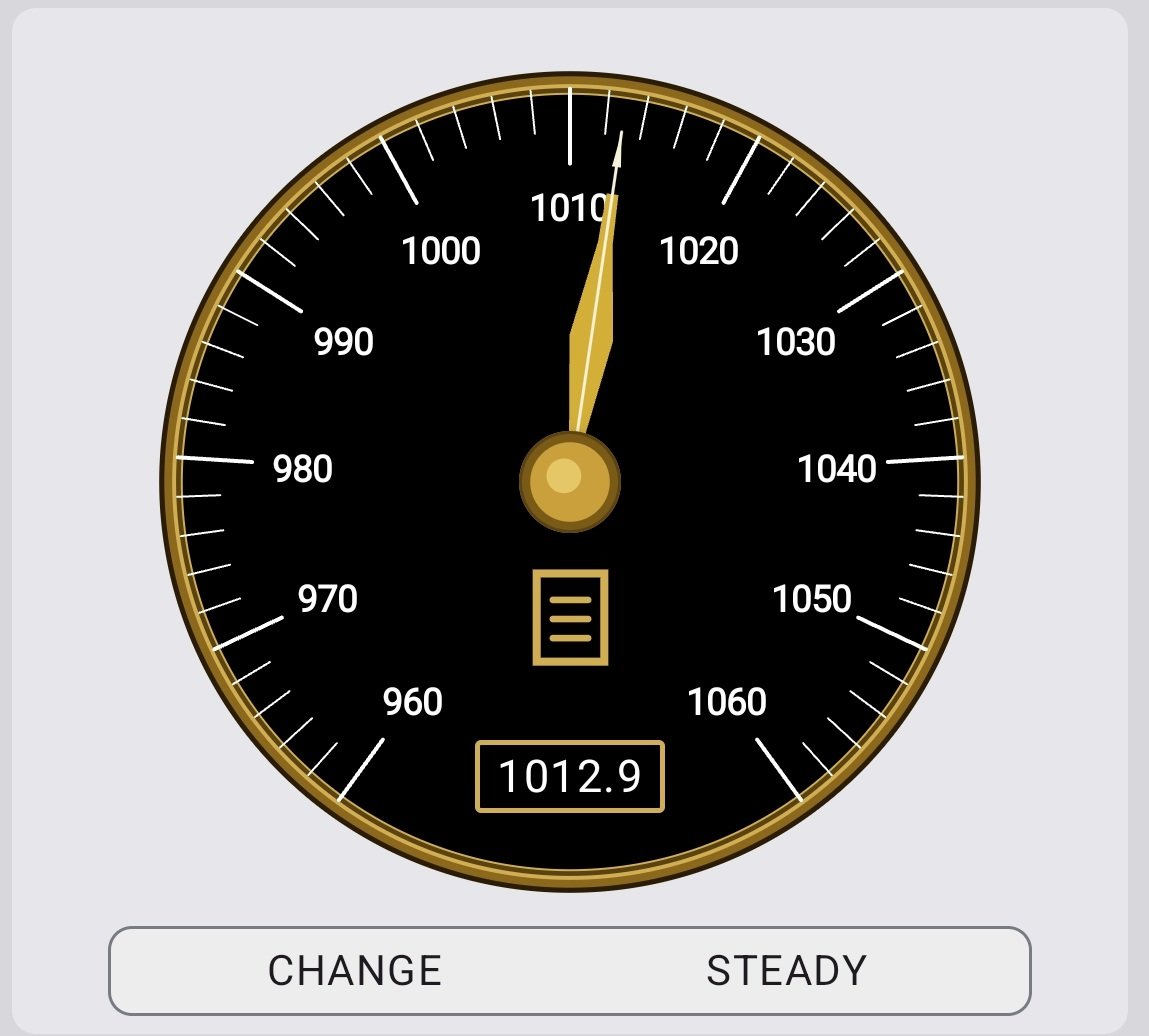
The phone sensor measures local station pressure. Marine Barometer corrects the calibrated sensor reading to sea-level pressure using the current reference elevation. The result is the familiar barometer value used for weather comparison.
The digital pressure box shows the live value and also acts as the unit control. Touch it to switch between mbar and inHg.
Reference elevation
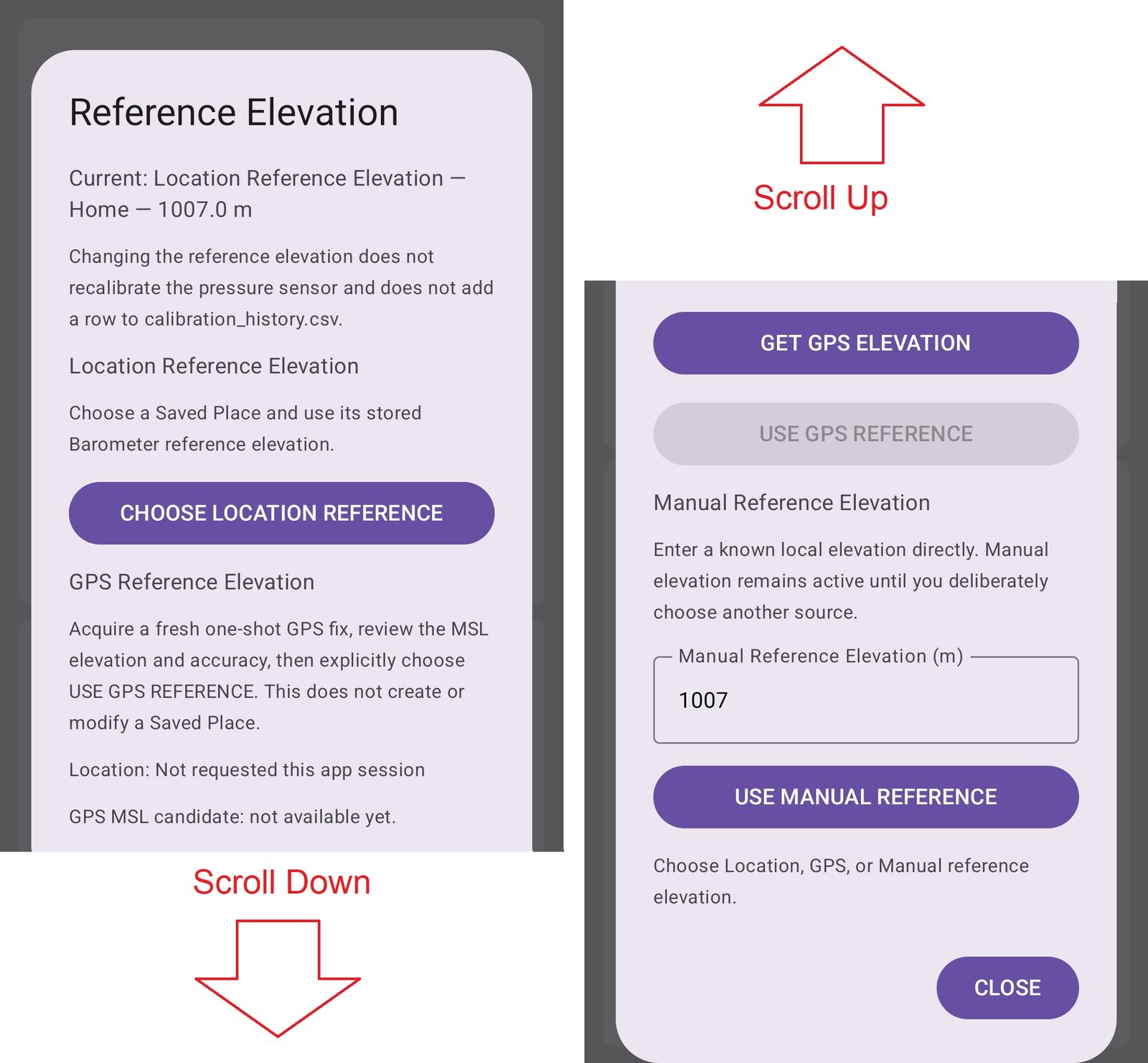
Normal Barometer operation has three reference-elevation sources: Location Reference Elevation, GPS Reference Elevation and Manual Reference Elevation. A Saved Place can hold a reference elevation and editable latitude/longitude. GPS Reference Elevation uses a fresh one-shot GPS/MSL elevation without creating or changing a Saved Place.
Lock Barometer for a short trip
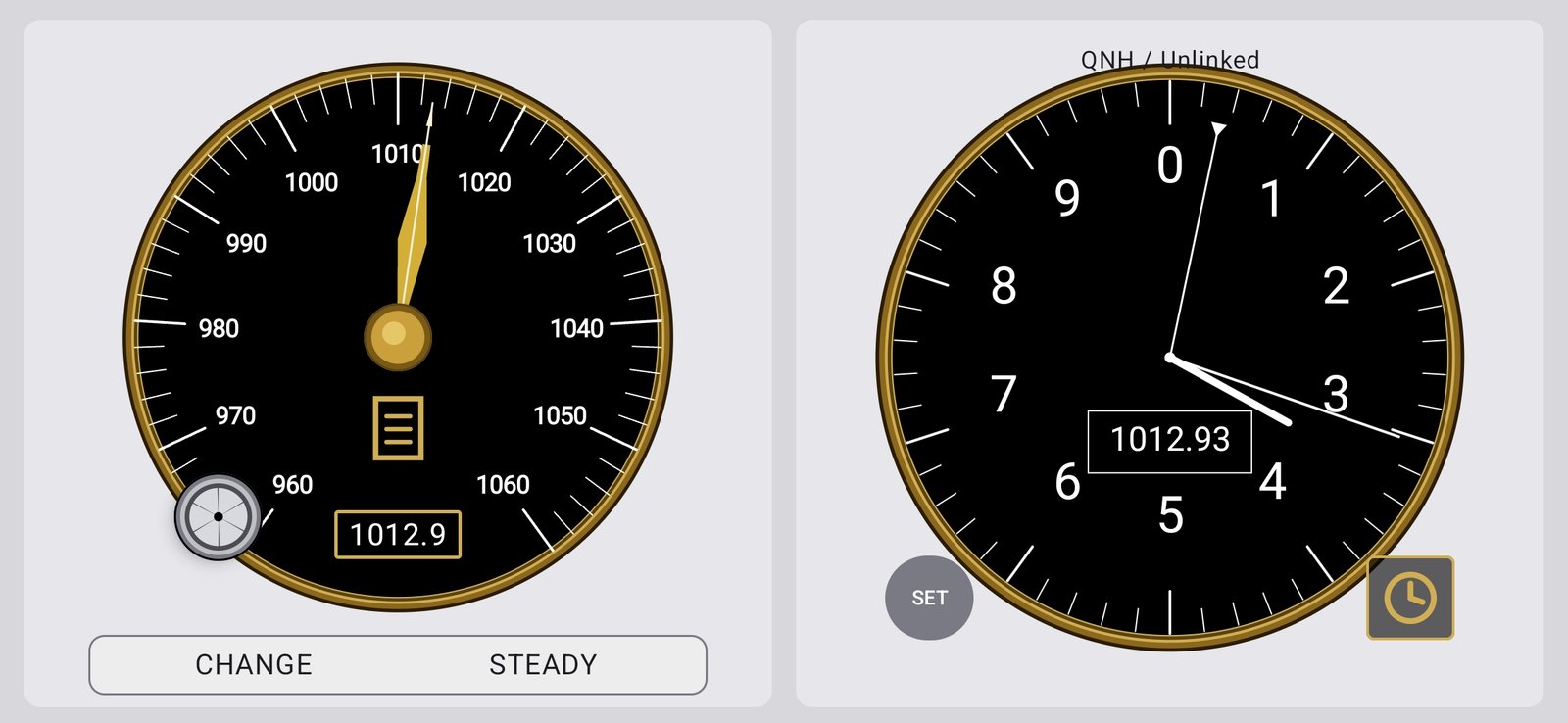
Lock Barometer captures the current Marine Barometer reading and holds that weather-pressure value for up to 60 minutes. Entering the lock does not make the Barometer jump. The Altimeter is initialized automatically to QNH / External Barometer Reference so it is ready to show elevation change during the excursion, but the held Barometer value is then independent of the Altimeter.
A six-sector timer appears only while the Barometer is locked. One sector disappears every 10 minutes. Touch the timer to unlock early; otherwise the lock ends automatically after 60 minutes and normal reference-elevation operation resumes.
Reference needle
The reference needle is a simple visual trend marker. Set it to the current pressure, then look again later. A live needle above the reference indicates a rise; below the reference indicates a fall. It does not affect the pressure calculation.
Pressure and movement
Atmospheric pressure and elevation both affect the phone sensor. For a short walk or local trip, Barometer Lock prevents the elevation change from masquerading as a weather-pressure change. For longer travel, use an appropriate reference elevation or pause Graphing when the recorded pressure would no longer represent one location.
Calibration
Calibration is an optional refinement that corrects the phone's pressure sensor against a trustworthy independent pressure reference. It is separate from choosing the Barometer reference elevation.